Sidebar/AV Dock
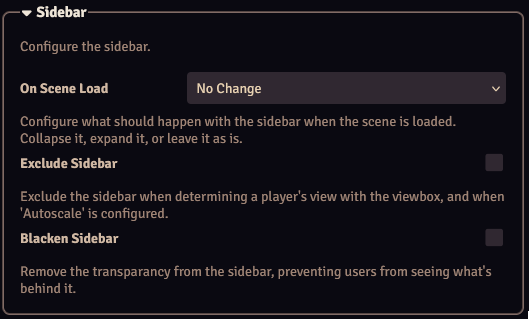
The "Sidebar" and "Audio/Video Dock" options allow you to configure how the Foundry sidebar/AV dock behaves.
| Setting | Description |
|---|---|
| On Scene Load | Configures what should happen when a scene is loaded: -No Change: Do not change the sidebar/dock. -Collapse: Collapse the sidebar/dock. -Expand: Expand the sidebar/dock. |
| Exclude Sidebar/Dock | Exclude the width of the sidebar/dock when determining a player's view when a viewbox is displayed, and when Autoscale is configured. |
| Blacken Sidebar/Dock | Removes the transparancy from the sidebar/dock, preventing users from seeing what's behind it. |